Family-Friendly Fun at Clearwater Beach Attractions
The sun’s barely out, and your kids are bouncing off the wall, excited for their beach vacation. You? You’re nursing coffee as you wonder how to keep your kids entertained. Sound familiar?
At Beach Ride Rental, we’ve been there before, and we know it can be tricky balancing vacation relaxation with beach fun. Luckily, there’s no shortage of things to do with kids at Clearwater Beach, and with our golf cart rentals, you can also make the drive exciting!
Beach Time (Without the Stress)
The best things to do with kids in Clearwater Beach start with, well…the beach, and if you’re looking for safe shallow beach spots for toddlers or beaches equipped with everything for a family adventure, you’ve come to the right place.
Clearwater Beach
Iconic, lively, and loaded with soft sand and clear, shallow water, Clearwater Beachis perfect for little ones still mastering their floaties. Better yet, this beach is close to all the action, so you’ll be able to spend some quality time with your kids and explore the city without any issue.
Want to make the trip even smoother? Hop on one of our 4-seater golf carts, and you’ll be able to go from Point A to Point B while enjoying the breeze and the sights!
Sand Key
If you’re looking for a quiet, more relaxed option just across the bridge, you can’t go wrong with Sand Key. Not only is this one of the most beautiful stretches of beach in town, but it’s also a big hit with the locals.
Better yet, Bay Park on Sand Keyhas some of the best picnic areas and playgrounds near Clearwater Beach, so you can spend the entire day here if you feel like it.
There are plenty of shops you can hit while around here, but if you’d rather travel with all of your beach stuff, consider choosing one of our 6-seater golf cartsinstead. The extra stuff lets you travel with coolers, flippers, floaties, umbrellas, and more, making the visit even more of a blast!
Indoor Wins for Rainy Days
At Beach Ride Rental, we’ve never let some rain stop us, and Clearwater is just the same. Here are some great indoor alternatives for you and your family.
Clearwater Marine Aquarium
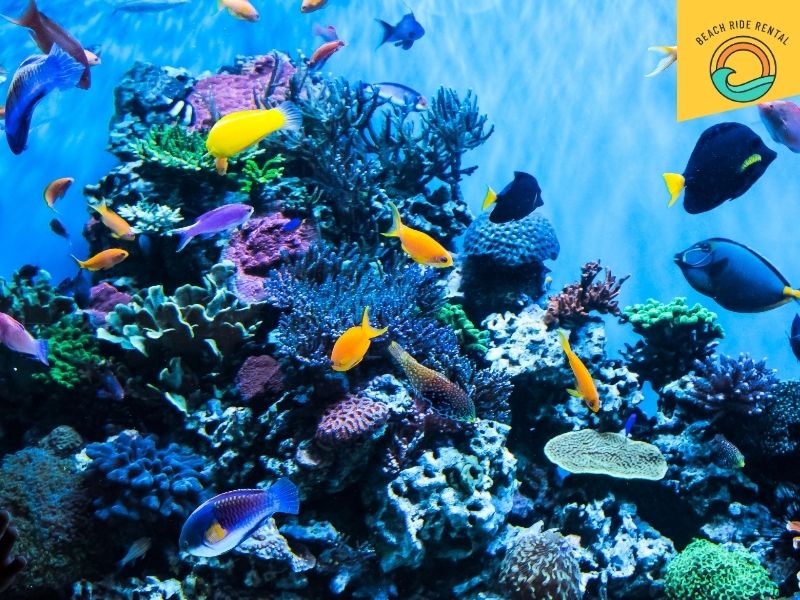
Whether it rains or not, the Clearwater Marine Aquariumis a must-see. This marine rescue center is not only home to plenty of rescue animals, but it also hosts all kinds of activities, so you know your kids will be entertained.
Tips for visiting the Clearwater Marine Aquarium with kids:
- Go early to beat the crowds and get parking closer to the entrance to avoid getting wet.
- Take note of the feeding hours so you can see the animals at their liveliest.
- Plan to spend 3-4 hours here to make those attraction tickets worth it.
- Hit the on-site café for burgers, flatbreads, and kids’ meals.
Westfield Countryside Mall
When all else fails, you can always hit the mall, and in Clearwater, the one with the most things to do with kids is the Westfield Countryside Mall.
With a skating rink and plenty of areas for little kids, your children will be entertained, and you’ll be able to shop and older kids and adults will have something to do as well.
Need an extra roomy golf cart for all your shopping? Try our 8-seater golf carts; street legal, spacious, and plenty of fun.
Events, Parks & Hidden Gems
Clearwater Beach is full of surprises beyond the sand. From festivals to nature spots, here are a few of our all-time favorites:
Pier 60
A hit for all age ranges, in the afternoons Pier 60is part art market, part street show, and 100% fun. Purchase a ticket to go all the way to the back and see the pelicans, or book a kid-friendly boat tour.
If you’re visiting in spring, check out the Sugar Sand Festival, which features incredible sand sculptures your kids will love.
Boat Tours & Bayside Fun
Need a break from the sand? Some of the best Clearwater Beach attractions are on the water! From Pirate Memo’s Pirate Cruiseto the Little Toot Dolphin Adventure, you’re sure to find something your children will love.
Remember to ask about their family-friendly Clearwater Beach packages to (hopefully) score a discount.
Explore Clearwater With Beach Ride Rental
There’s no shortage of things to do with kids at Clearwater Beach, and with a little planning and one of our golf carts, you can do more of it with less meltdowns, missed turns, or parking lot showdowns.
At Beach Ride Rental, we make it easy to ride like a local. Whether you’re driving a small 4-seater or an electric 6-seater, you can make your beach day a whole lot smoother with one of our carts, and to make things easier, we even deliver them to you.
So plan your route, pack the sunscreen, and book your Clearwater Beach golf cart today. We’ll handle the rental; you just focus on making memories.
FAQ'S
Yes to both! Most parts of Clearwater Beach are stroller-friendly, especially along the promenade and Pier 60 area.
Easy. Just pick the size that fits your crew—our 6- and 8-seater golf carts are perfect for families with kids, coolers, and beach gear. Booking only takes a few clicks, and while you’re at it, go ahead and grab your Clearwater Beach attraction tickets so everything’s ready to roll.
Spring and early fall are great; there are fewer crowds, warm weather, and lots of kid-friendly events. But honestly? Clearwater’s beach days hit all year long. Just pack sunscreen in winter too.
Start early, pack light but smart (snacks, towels, and sunblock), and rent a golf cart to skip the parking chaos. Hit the beach in the morning, explore local parks in the afternoon, and end with a sunset show at Pier 60. Done.
Absolutely. In fact, weekly rentals are one of our most popular options—more freedom, less hassle. We even deliver the cart right to you so you can start your vacation the second you arrive.