Why Street Legal Golf Carts Are the Best Way to See Pinellas County
Try finding an easy parking spot near Clearwater Beach at sunset, then tell us a golf cart doesn’t sound like a good idea. At Beach Ride Rental, we spend our day around beach towns, and we know exactly why street legal golf carts in Pinellas County, FL, make vacations so much easier.
That’s what this guide is about: why Gulf Coast beach hopping and golf carts go hand in hand, as well as which local stops are worth building into the day.
Already have your trip plan and just need a ride? Book your vacation golf cart rental here.
Why Are Street Legal Golf Carts a Good Fit for Pinellas County?
Pinellas County is packed with beaches, downtown districts, parks, restaurants, and waterfront stops that are often just a short trip apart, making big cars feel completely unnecessary.
That’s the deal with golf cart transportation in Florida, particularly if you’re just here for a visit. You want something that’s good for a quick beach run, lets you hop in and out no matter which of Pinellas County beach towns you’re visiting, and is street-legal. A golf cart rental gives you exactly that.
You can grab coffee, head to the sand, stop for lunch, explore a downtown district, and change plans without arranging another ride every time, and if you’re driving an electric golf cart rental, you can even do it without ever paying for gas.
Reserve Your RideBest Places to Visit by Golf Cart in Pinellas County
There are plenty of things to do in Pinellas County, and with a family golf cart rental, they’re all just a short ride away from wherever you’re staying.
Pier 60 gets plenty of attention, but Clearwater Beach has more to offer. Sand Key Park is a quieter stop south of the busiest stretch, and the Clearwater Beach Marina area gives you another reason to wander beyond Mandalay Avenue.
When it comes to things to do near Clearwater Beach, having your own ride makes it easier to mix the famous spots with the quieter ones, so if you’re ready to get your very own golf cart rental for Pinellas County, let us know.
Downtown Dunedin is easy to explore at your own pace. Main Street has the shops and restaurants, but Penny Lane, the Ultimate Beatles Museum, is the kind of wonderfully specific stop that sticks with you.
Weaver Park is another local favorite when you want waterfront views without turning the whole afternoon into an event.
If you’re looking for some of the best beaches in Pinellas County, you can’t skip Indian Rocks Beach.
The Indian Rocks Beach Nature Preserve has a mangrove boardwalk, while Pipo N Betty’s Bakery makes a strong case for getting out before breakfast. Even better, Indian Rocks was practically made for beach vacation golf cart rentals, and you’ll see plenty of people doing the same.

Madeira Beach, Treasure Island, and St. Pete
Madeira Beach and Treasure Island
John’s Pass is the big Madeira Beach name, but R.O.C. Park gives you a quieter waterfront stop nearby. In Treasure Island, Rosselli Park and Weckesser Park are easy additions when you want something more local between beach stops, meals, and the busier parts of Gulf Boulevard.
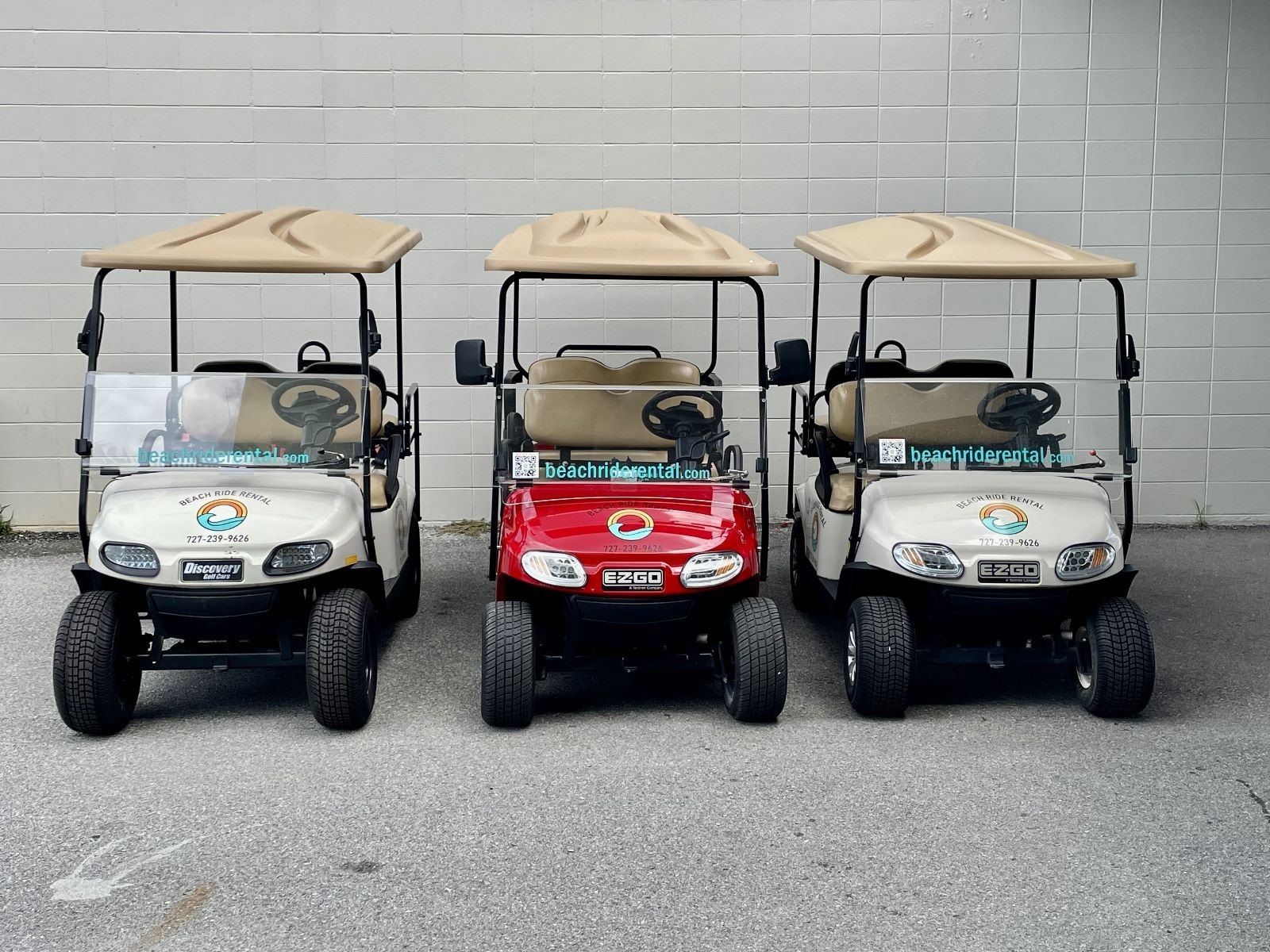
The best way to hit all these spots when traveling with a large family? A 6-passenger golf cart rental, but we also offer smaller and larger carts if that’s more your style.
Downtown St. Pete
No Florida Gulf Coast vacation is complete without a visit to Downtown St. Pete. The Pier and the waterfront around Beach Drive give you a different side of Pinellas County than the Gulf beaches: parks, museums, restaurants, and enough room to wander without circling for a parking spot.
It's always a good reminder that not every Pinellas County vacation idea has to involve the sand.
Palm Harbor and Safety Harbor
Not every good Pinellas County attraction faces the Gulf. Wall Springs Park, in Palm Harbor, has boardwalks and trails around a historic mineral spring.
Safety Harbor has the 300-plus-year-old Baranoff Oak, Marshall Street Park, and a walkable downtown nearby. They’re both good reminders that some of the best Pinellas County attractions sit away from the beach.
At Beach Ride Rental, we know that street legal golf carts in Pinellas County can make any Florida Gulf Coast vacation one to remember. That’s why we make it so easy to get a cart that we even deliver it for free.
If you’re ready to get the best Florida beach vacation transportation, we’re more than ready. Just call us at (727) 239-9626 or book your cart online.
We’ll make sure the cart gets to you.
FAQs
How old do I need to be to rent and drive a golf cart?
You must be 21 or older and have a valid driver’s license to rent and drive one of our carts.
Can I drive between Pinellas County beach towns?
Yes, when your route uses public roads with posted speed limits of 35 mph or less.
Do you offer an electric golf cart rental?
Yes. We offer a 6-passenger lithium electric golf cart rental, along with 4-, 6-, and 8-passenger gas options.
Is a golf cart good for a family beach vacation?
Yes. A family golf cart rental keeps the group together for beach trips, meals, shopping, and sightseeing without arranging a new ride for every stop. Book yours and start planning your trip to the many family activities Pinellas County has to offer.
Where can Beach Ride Rental deliver my cart?
We offer free delivery throughout Pinellas County to hotels, vacation rentals, and homes.
Planning Your Pinellas County Trip?
Have questions before committing? Give us a call at (727) 239-9626 or send us a message below. We're happy to help you pick the perfect cart for your crew!
- Email:
beachriderental@gmail.com - Phone:
(727) 239-9626 - Location:
13575 58th St N Suite 200
Clearwater, FL 33760
Contact Us Today!
Send us your question and we'll help you plan your Pinellas County getaway.